UniClip
Log in Start now →
New: AI feature-highlighting — verified frame by frame

App screenshots in.
Posted YouTube Shorts out.

Upload screenshots of your app. Our AI writes the script, records the voice, zooms onto every feature as it's spoken, underlines your numbers, adds captions and music — and posts the finished Short to your YouTube channel. Every day. On autopilot.
No editing skills · No credit card to sign up · Cancel anytime
60sprofessional Shorts
100%hands-free posting
AI-QAevery frame checked
24/7your channel grows
🎯 Feature-synced zoomcamera follows the voice
AI-verified markschecked before posting
Posts itself dailystraight to your channel
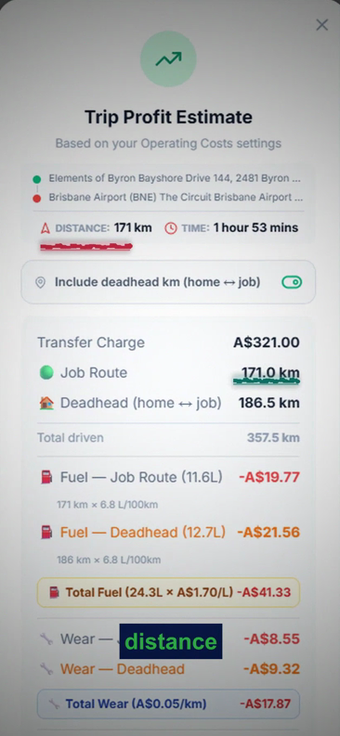
A real UniClip video frame — AI underlining the numbers as they are spoken
How it works

Three steps. Zero editing.

From screenshot to a posted, professional Short — without touching an editor.

1
Connect your YouTubeOne click with Google's official sign-in. We can only upload videos — nothing else. Disconnect anytime.
2
Drop your screenshotsOne screen or a whole folder per feature. The filename tells the AI exactly what to talk about.
3
Shorts post themselvesScript, voiceover, feature zoom, highlights, captions, music, end-card — scheduled daily to your channel.
Real example

A real video, made from these exact screenshots

A driver app uploaded one folder of screenshots. Here's what came out.
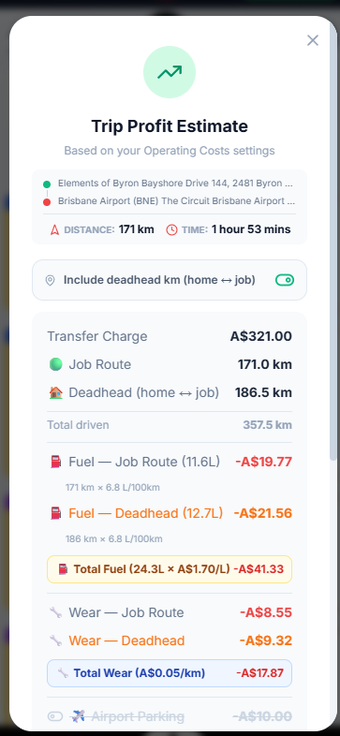
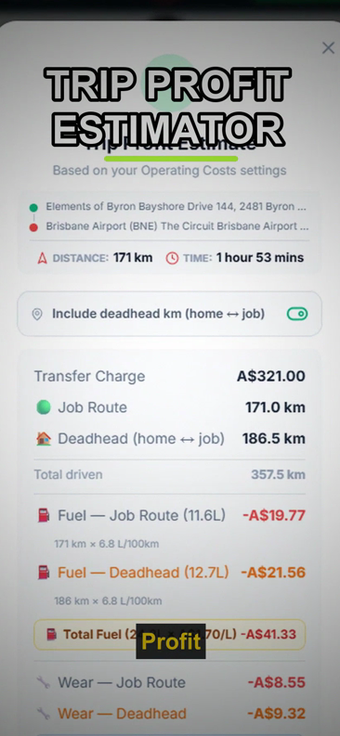
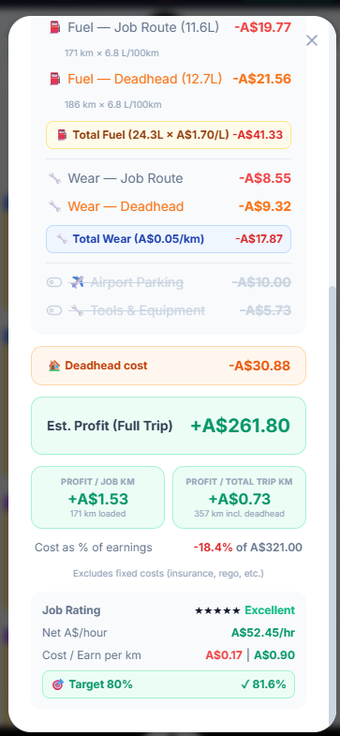
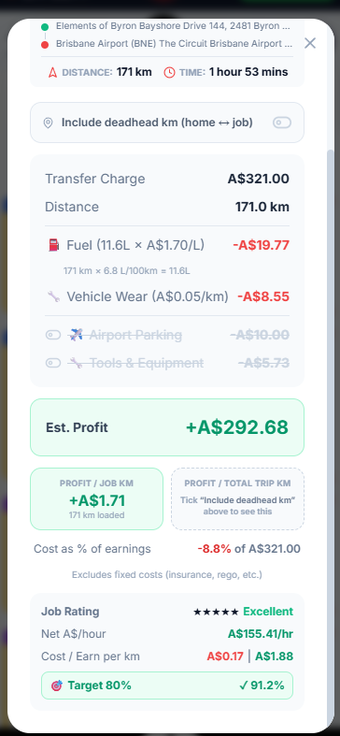
01YOUR SCREENSHOTThe raw app screenshot
02HOOK OPENS THE VIDEOAI adds a bold hook over the opening
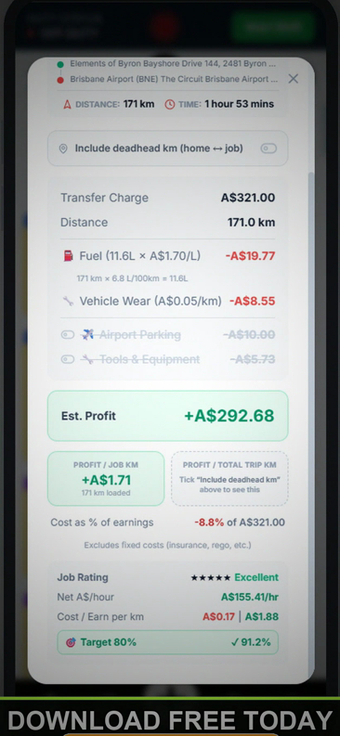
03AI HIGHLIGHTS AS IT SPEAKSUnderlines drawn under the numbers exactly as the voice says them
04CTA — THEN IT POSTSCall-to-action end bar, then posted to YouTube

Voiceover written and spoken by AI · camera zooms on each feature as it's mentioned · every mark placed by a 3-pass targeting system and verified frame-by-frame before posting.

🖼 One screenshot → one video

Upload a single screen and get a full 60-second Short about that one feature — script, voice, zooms, highlights, captions, music, end-card.
single screenshot finished single video
💡 Name the file after the feature — "trip profit estimator.png" — and the AI knows exactly what to talk about.

📁 A folder of screens → one walkthrough

Put several screens in one folder and get a single video that walks through all of them in order — smooth transitions, one story connecting every screen.
screen 1 screen 2 screen 3 finished walkthrough video
💡 The folder name is the topic — "Trip Profit Estimator" — the AI writes one line per screen and stitches one Short.
The engine

Editing that looks hand-made

Every video gets the full studio treatment — automatically.

🎯 Feature-synced zoomThe camera zooms onto the exact button, price or stat at the exact moment the voice says it — then eases back out.
🖊 Smart highlightsMarker underlines under numbers, animated rings around buttons, traced outlines around cards — AI-verified placement before anything ships.
💬 Word-by-word captionsHigh-contrast animated captions that dodge the highlighted feature and color-match the on-screen marks.
🔊 Studio soundNatural AI voiceover with real pauses, music that ducks under the voice, synced sound effects on every highlight.
📱 Device framingYour screens presented in a premium phone mockup with hook text, pro transitions and a call-to-action end-card.
📈 Learns what worksReads your channel's stats and writes the next scripts like your best performers. Your content gets smarter monthly.
Your competitors post every day. Do you?
Consistency is the whole game on Shorts — UniClip never skips a day, never gets tired, never sends an invoice for editing.
Automate my channel →
Pricing

Simple pricing

Every plan includes the full editing engine and daily auto-posting. Cancel anytime.

Monthly

$49.74/mo

30 one-minute Shorts a month — 30 video-minutes total

  • 30 Shorts a month — 1 minute each
  • 30 video-minutes total, split as you like
  • Auto-post to your YouTube
  • Full AI editing engine
Choose Monthly
BEST VALUE — 2 MONTHS FREE

Yearly

$497.4/yr

≈ $41/month, billed yearly

2 months free — 30 one-minute Shorts every month

  • 30 Shorts a month — 1 minute each
  • 30 video-minutes total, split as you like
  • Auto-post to your YouTube
  • Full AI editing engine
Choose Yearly

Test

$0.51/mo

Try the full engine — 120 video-minutes (2 hours)

  • 120 Shorts a month — 1 minute each
  • 120 video-minutes total, split as you like
  • Auto-post to your YouTube
  • Full AI editing engine
Choose Test

🔒 Secure payment by Stripe · Change or cancel your plan anytime from your dashboard

Your app deserves to be seen.

While you build the product, UniClip builds the audience — one professional Short at a time, every single day.

Start posting daily →
FAQ

Questions

Everything founders ask before they start.

What exactly do I upload?

Screenshots of your app — from your phone or the app store listing. Name each file after the feature it shows (e.g. "trip profit estimator.png"). Put several screenshots in a folder to get one video that walks through all of them.

Who writes the script and voice?

Our AI studies your screenshots and writes a calm, value-driven 60-second script about the feature, records a natural voiceover, and edits the whole video — nothing generic, everything specific to what's on your screens.

Is it safe to connect my YouTube channel?

Yes — we use Google's official sign-in and can only upload videos. We can't read your emails, see your password, or touch anything else. Disconnect anytime with one click.

What are "video-minutes"?

Your monthly creation allowance. 30 minutes = thirty 1-minute Shorts, or three 10-minute videos — any split you like. Resets monthly.

Can I cancel?

Anytime, from your profile — one click to the Stripe billing portal. You keep access until the end of the paid period.

Do the videos really look professional?

Every mark on screen is placed by a three-pass AI targeting system and then verified frame-by-frame by a second AI before the video ships. Misplaced highlights get removed automatically — bad videos never reach your channel.